Company pages
Before you apply, see a company’s hiring on one page: its open roles, where they are, the pay it posts, and the facts about visas.
The problem
Before applying you want to know whether a company is really hiring, where, at what pay, and whether it sponsors visas. That is usually four different sites, and one of them is a forum.
What you get
-
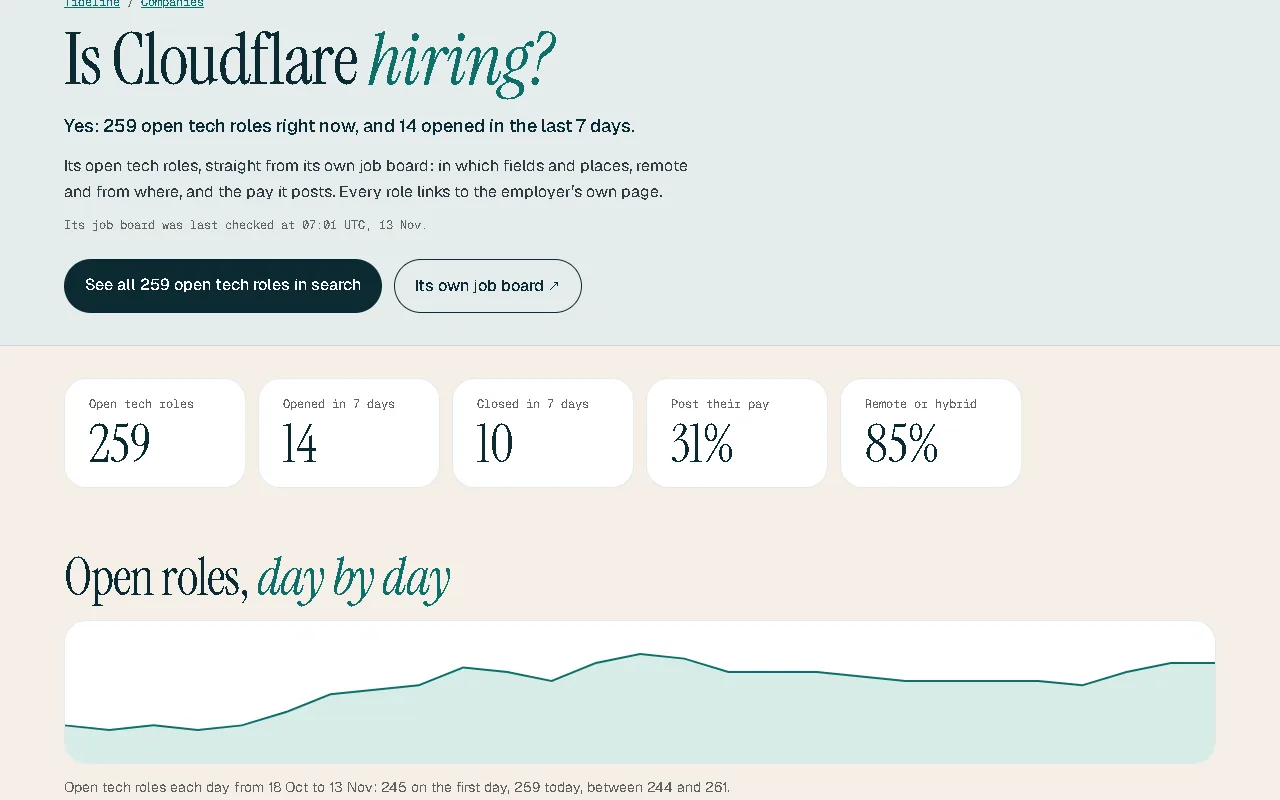
Open roles, day by day
How many tech roles the company has open, and how that has moved.
-
Fields, places and pay
Which fields it is hiring in, where, and the typical pay it posts.
-
How it says it hires
The company’s own words about its interviews, with the source linked.
-
Visa facts
For matched companies, official figures: US H-1B approvals and the UK’s register of licensed sponsors.
How it works
- Open Companies and pick one, or follow a company’s name from any role.
- Read its page top to bottom.
- Open a role, or check your resume against it.
Good to know
Visa facts are public facts about the company, not a promise about any one role; ask the employer before you apply. Replies to applications show only once enough Tideline users have reported them. A company can ask not to be shown.
Questions
Which companies have a page?
Every company Tideline reads that has open tech roles.
Where do the visa facts come from?
From USCIS’s H-1B Employer Data Hub and the UK government’s register of licensed sponsors, matched by hand to the company’s legal entities.
Something is wrong on a company’s page. What can I do?
Tell us through the link on the page and we’ll check it.