Job search with posted pay
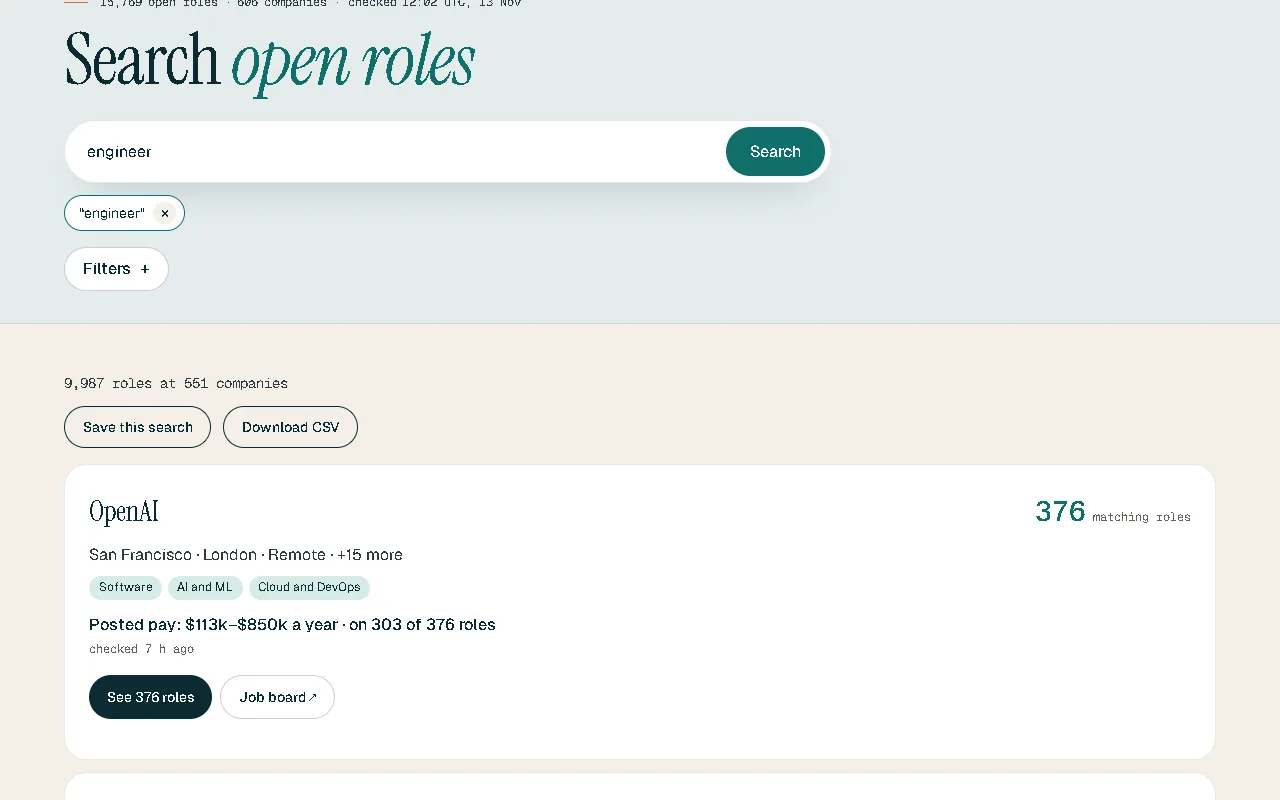
Search every open tech role at the companies Tideline reads, straight from their own careers pages, with the pay each employer posts.
The problem
Job boards repeat each other, keep roles that closed weeks ago, and hide the pay. You end up opening ten tabs to learn what one careers page would have told you.
What you get
-
From the source
Roles come from each company’s own careers page, checked every day, so a closed role drops off within a day.
-
Pay as posted
Where an employer posts pay, you see it as they wrote it. Where they don’t, we say so and never guess.
-
Remote from your country
Narrow remote roles to the ones that can hire where you live.
-
By field, level and place
Filter by role family, seniority, country and city, or start from a page for your field.
How it works
- Type a role, skill or company.
- Narrow by place, remote work, level or pay.
- Open the role on the company’s own page and apply there.
Good to know
Tideline lists tech roles at the companies it reads, not every job on the internet. You apply on the employer’s site; Tideline never applies for you.
In each plan
| Feature | Free | Tideline Pro | Tideline Pro Plus |
|---|---|---|---|
| Every role with its posted pay | Yes | Yes | Yes |
| Download a search’s roles as a spreadsheet (CSV) | No | Yes | Yes |
Questions
Where do the roles come from?
From each company’s own careers page, read once a day. Tideline doesn’t take listings from job boards.
Why do some roles show no pay?
Because the employer didn’t post any. Tideline shows pay only as the employer wrote it.
Do I need an account to search?
No. Search, every role and its posted pay are open to everyone.